Free Obsidian plugin
Revisit Later
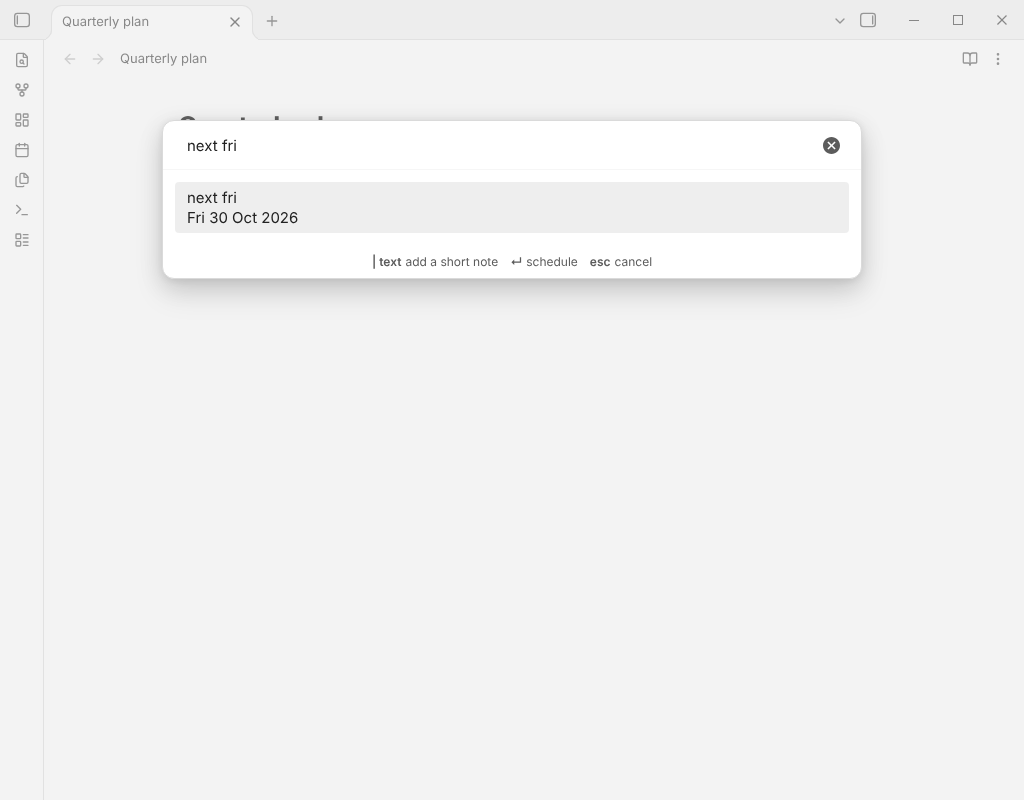
Link the current note into a future daily note, with a date typed in plain English, so it comes back when you want to review it.
Install from the Obsidian directory Open in Obsidian Source code and issues
What it does
Link the current note into a future daily note, with a date typed in plain English, so it comes back when you want to review it.
Revisit Later puts a link to the note you are reading into a future daily note, under a heading you choose. When that day comes, the note is in your daily note, where you will see it. It is a tickler file for your vault, and a successor to Review that does not need another plugin to read dates and does not rewrite your daily note as a whole.
Highlights
- The link follows your link settings (wikilink or Markdown link, shortest path or full path).
- The daily note comes from the core Daily notes settings: folder, date format and template. If it does not exist yet, it is created from the template, with the heading added at the end if the template has none. If it exists, the line goes at the end of the section. Nothing else in the note is touched.
- If the daily note is open, the line is added through the editor in a single step, so one undo takes it back. A note that is already listed under the heading is not added twice.
Details
- Version
- 0.1.0
- Needs Obsidian
- 1.4.0 or newer
- Platforms
- Desktop and mobile
- Author
- Siulved54
- Price
- Free and open source