Free Obsidian plugin
Note Reading Time
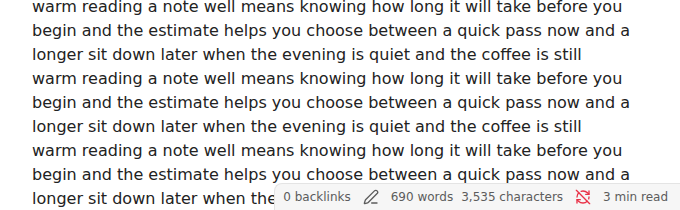
Show how long the current note, or your selection, takes to read, in the status bar, with your own reading speed and support for Chinese, Japanese and Korean.
Install from the Obsidian directory Open in Obsidian Source code and issues
What it does
See how long the note in front of you takes to read, in the status bar.
Select a paragraph and the status bar switches to the time for just that selection ("1 min (selection)"). Hover it for the word count and the speed behind the number, or click it to see the same as a notice, which also works on mobile through the Show the reading time of this note or selection command.
Highlights
- Front matter (the properties block), comments (
%% … %%and<!-- … -->), code blocks, math and link addresses are skipped. The text of a link counts, and so does the alias of a wikilink. - Chinese, Japanese and Korean are counted by character, since they have no spaces to count words by (400 characters per minute by default).
- Images can add time: set Seconds per image if you want them to.
- Code blocks can be counted from the settings.
Details
- Version
- 0.2.0
- Needs Obsidian
- 1.4.4 or newer
- Platforms
- Desktop and mobile
- Author
- Siulved54
- Price
- Free and open source